Coming soon to the App Store
Holiday Dinner Planner for iPhone
The same planner as this website, in your pocket on the day: a reminder when each step is due, Cook Mode, a Lock Screen countdown, and a new plan in seconds when something runs late.
 Coming soon to theApp Store
iPhone · iOS 18 or later
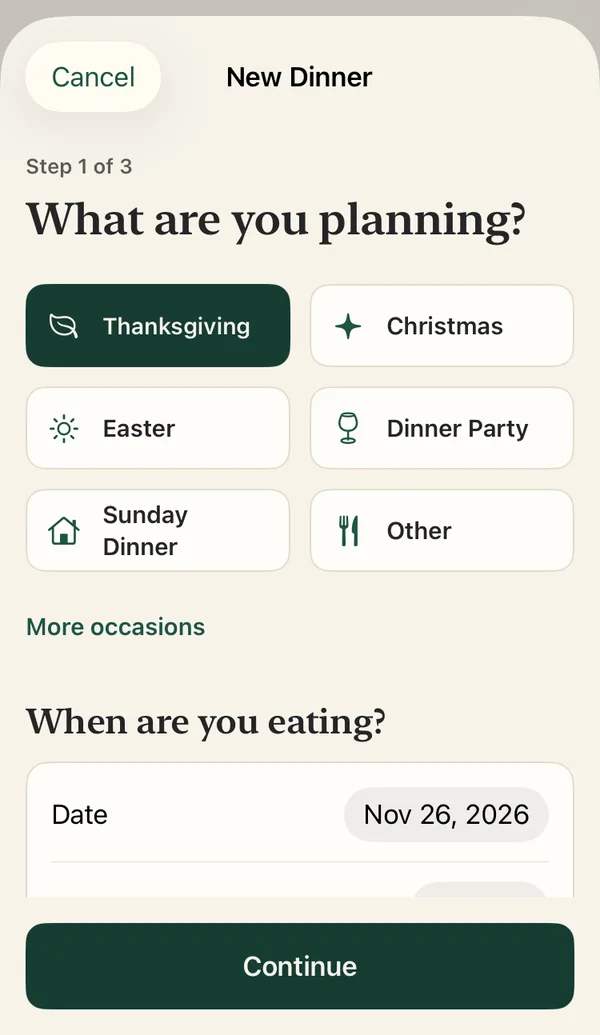
Tell it when you're eating.
Pick the occasion and the time — Thanksgiving, Christmas, Easter, Friendsgiving, a Sunday roast or any big dinner. Add dishes from ready-made menus or your own; every time and temperature can be changed.
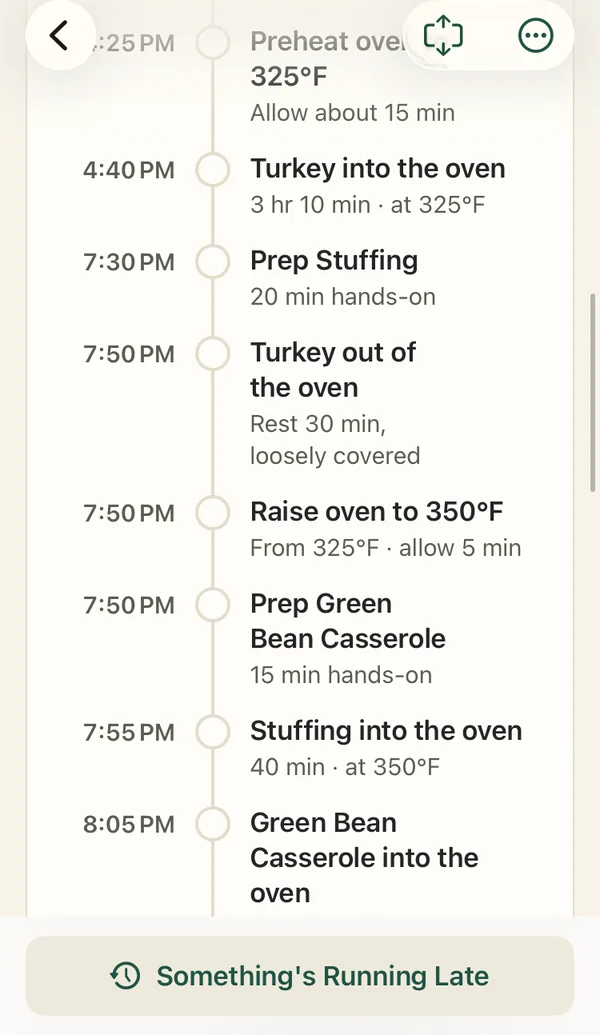
Your whole kitchen, one timeline.
It knows one oven holds one temperature and schedules the changes, never plans more stovetop dishes than you have burners, uses resting and holding times, and spaces out hands-on prep. Two ovens, slow cookers, air fryers and pressure cookers too.
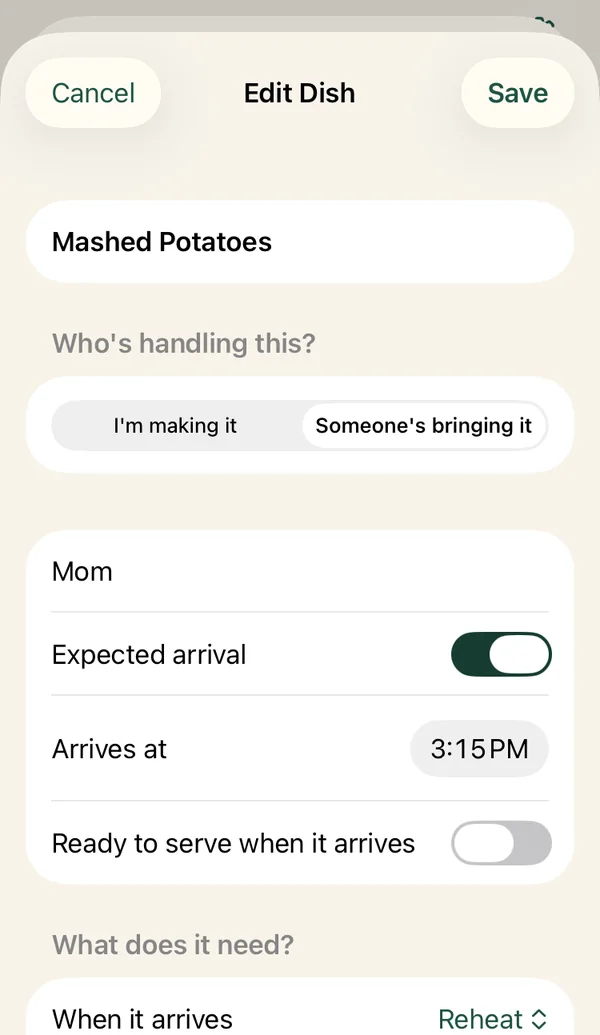
Someone bringing a dish? Add that too.
Mom's bringing mashed potatoes at 3:15 and they need 20 minutes in the oven? Add who's bringing it and when, and the reheat fits around everything else. Dishes that arrive ready to serve take no oven space.
Know exactly what to do next.
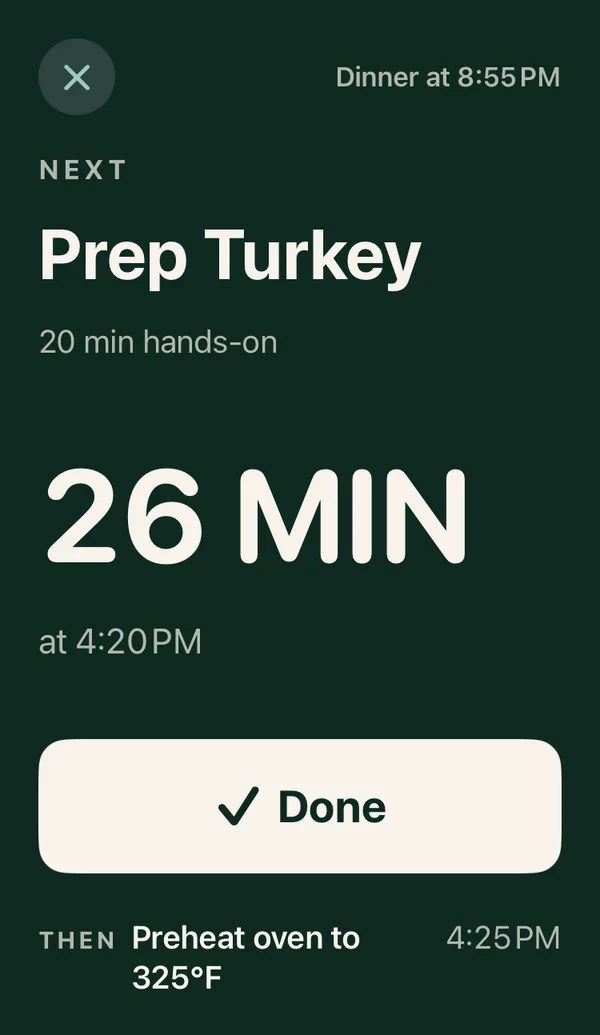
The next step is always at the top, with a countdown. Cook Mode shows it in huge type you can read from across the kitchen and keeps the screen awake. Follow along on your Lock Screen, too.
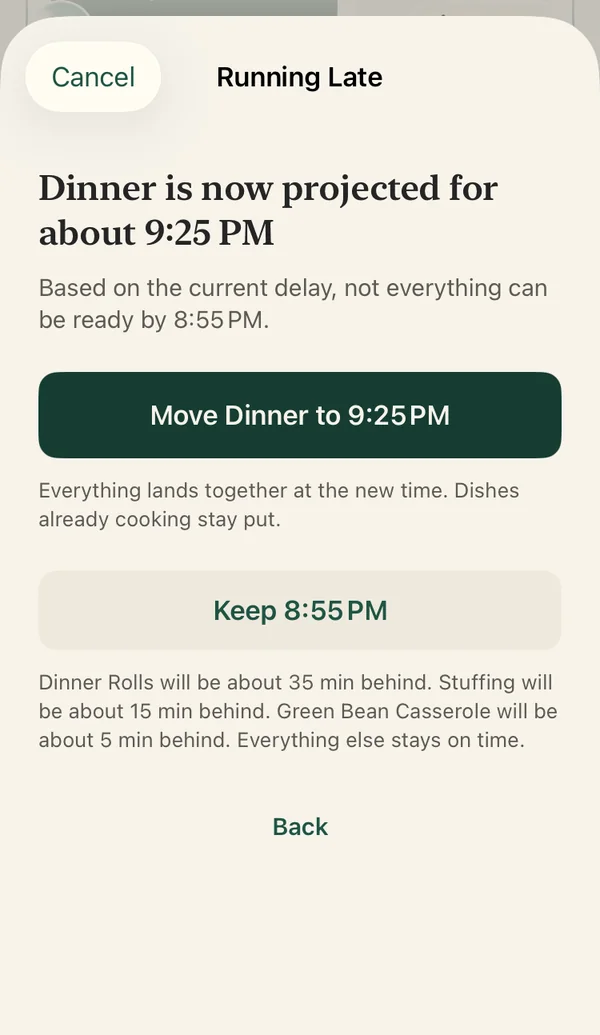
Running late? Adjust the plan.
Turkey needs longer, or a guest is stuck in traffic? Tell the app. Only the steps that depend on it move — and if dinner itself needs to shift, you choose.
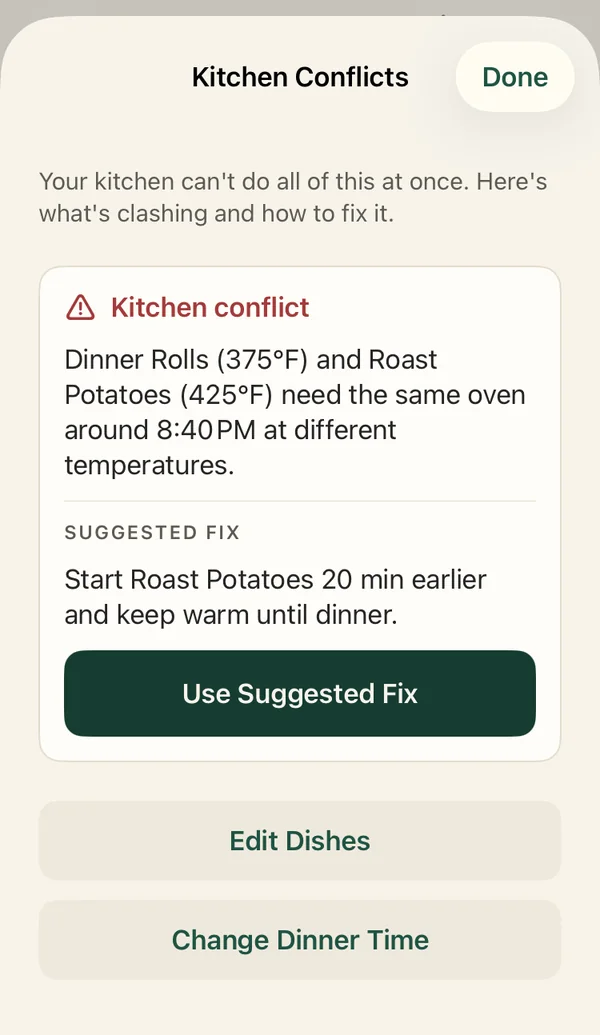
When the kitchen can't do it all.
If two dishes need the oven at different temperatures at the same moment, it tells you which ones and offers a fix it has already checked against the whole meal.
The website plans it. The app runs it.
| Website | iPhone app | |
|---|---|---|
| Timeline from dinner time, ovens, burners and prep | Yes | Yes |
| Guest dishes and reheats | Yes | Yes |
| Kitchen conflicts and checked fixes | Yes | Yes (Pro applies them in one tap) |
| Print or share the plan | Yes | Yes |
| A reminder when each step is due | — | Yes |
| Cook Mode and Lock Screen countdown | — | Yes |
| Replan when something runs late | — | Pro |
| Save dinners and use them again next year | Last plan, in this browser | One dinner free; unlimited and Use Again with Pro |
Free, then one purchase
Plan a dinner with up to three dishes for free, with the full timeline, reminders, Cook Mode and the Lock Screen countdown. Unlock Pro once — no subscription — for unlimited dishes and dinners, one-tap kitchen fixes, replanning when something runs late, Use Again and early heads-up reminders.
Private by design
No account. No ads. No tracking. Your dinners stay on your iPhone. Reminders are scheduled on the device, and the app's App Store privacy label is “Data Not Collected”. Read the privacy policy.
Questions people ask
When is the app available?
It's coming soon to the App Store for iPhone. Until then, the planner on this website works in any browser.
Is there an Android version?
No, the app is for iPhone only. The website planner works on any phone or computer.
Do the website and the app give the same timeline?
Yes. The website runs a direct port of the app's scheduling engine, tested against it on hundreds of generated meals.
Does it need an internet connection?
No. Planning, the timeline, reminders and Cook Mode all work offline on the iPhone; only buying or restoring Pro needs a connection.